Smart Online Bill Payment Practices to Stay Safe and Avoid Late Fees
Paying bills is a regular part of personal money management. Electricity bills, mobile bills, water bills, broadband charges, gas bills, credit card…
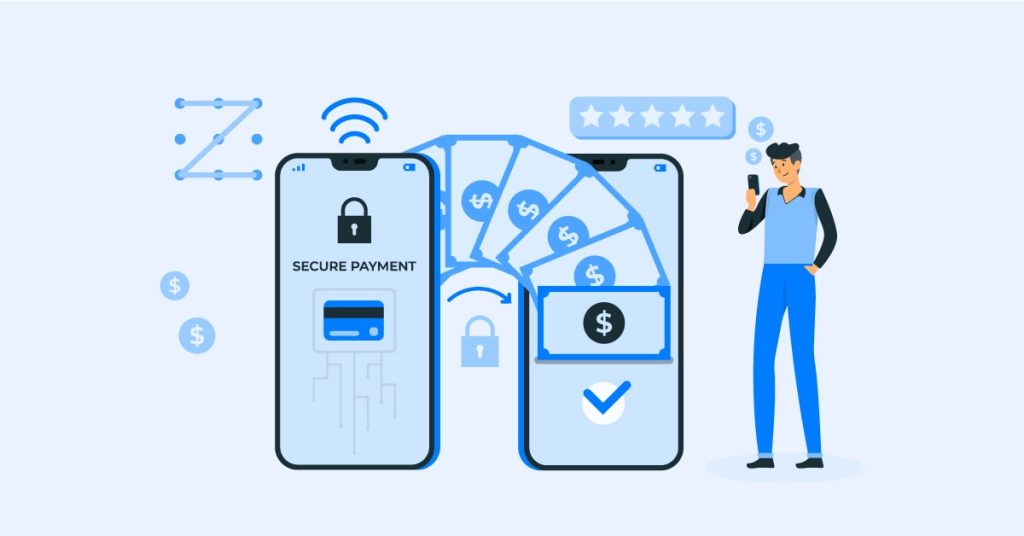
Paying bills is a regular part of personal money management. Electricity bills, mobile bills, water bills, broadband charges, gas bills, credit card bills, insurance premiums, and other recurring payments need timely attention. Missing due dates can lead to late fees, service interruptions, or unnecessary stress. This is why digital payment options have become useful for many households and working professionals.
Online bill payment helps users pay bills from a mobile phone, laptop, or desktop without visiting a payment counter. It saves time, gives instant payment confirmation in most cases, and helps users keep a record of their monthly expenses. However, users should understand how online payments work, what safety checks to follow, and how to avoid failed or duplicate transactions.
This article explains the meaning, benefits, process, safety tips, mistakes to avoid, and practical ways to manage bills online with better control.
What Online Bill Payment Means
Online bill payment is the process of paying bills through a digital platform instead of using cash or visiting a physical office. Users can pay through banking apps, payment apps, biller websites, UPI apps, cards, net banking, or digital wallets.
The process usually requires the user to select the bill category, enter customer details, verify the bill amount, choose a payment method, and complete the transaction. After successful payment, the user generally receives a receipt, SMS, email, or in-app confirmation.
This method is useful because it brings different bill categories into one digital process. Users can pay multiple bills from one place and maintain a clear record of payments.
Why Digital Bill Payments Are Useful
Digital bill payments are useful because they reduce the time and effort involved in paying recurring charges. Earlier, many users had to stand in queues or visit service centres to complete payments. Online methods make the process faster and more convenient.
Another benefit is better tracking. Payment apps and banking platforms usually store transaction history. This helps users check whether a bill was paid, when it was paid, and which payment method was used.
Digital payments also reduce the risk of forgetting due dates. Many apps allow reminders, saved billers, and repeat payment options. This can help users manage monthly bills more efficiently.
Main Benefits of Paying Bills Online
Saves Time
Online payments can be completed within minutes. Users do not need to travel, wait in queues, or depend on office hours. This is especially helpful for busy professionals and families managing several monthly payments.
Easy Access to Payment History
Most digital platforms provide transaction records. Users can check old payments, download receipts, and track monthly spending. This is useful during disputes, tax record checks, or household budgeting.
Multiple Payment Options
Users can pay bills through UPI, debit cards, credit cards, net banking, wallets, and other supported methods. This flexibility helps users choose the payment option that suits them.
Helps Avoid Late Fees
Due date reminders and saved biller details can reduce the risk of missed payments. Paying on time helps users avoid penalties and service interruptions.
Convenient for Different Bill Categories
Online platforms often support electricity, mobile, broadband, DTH, gas, water, insurance, loan EMIs, rent, and other payments. This helps users manage different bills from one place.
How to Make Online Bill Payments
The exact steps may vary depending on the platform, but the basic process is similar across most apps and websites.
First, users need to open a trusted payment app, banking app, or biller website. Then they should select the bill category such as electricity, mobile, gas, broadband, or credit card. After that, they need to enter the consumer number, mobile number, account number, or other required details.
Once the bill appears, users should verify the name, bill amount, due date, and service provider before paying. After checking the details, they can select a payment method and complete the transaction using PIN, OTP, password, or biometric verification.
A successful payment usually generates a receipt. Users should save or download the receipt until the biller confirms payment.
Things to Check Before Paying a Bill Online
Before making a payment, users should verify the biller name carefully. Paying the wrong biller may lead to delays or refund issues. The consumer number or account number should also be checked to avoid incorrect payments.
The bill amount and due date should match the official bill. If the amount looks unusual, users should check the biller website or contact customer support before paying.
Users should also check whether the platform charges any convenience fee. Some payments may be free, while others may include a small charge depending on the payment method.
How Online Bill Payment Helps Monthly Budgeting
Managing bills digitally can make budgeting easier. Users can review monthly payment records and understand how much they spend on electricity, internet, mobile plans, insurance, and other services.
In the middle of monthly expense planning, online bill payment can help users keep payment records in one place. This makes it easier to compare past bills, identify unusual increases, and plan future spending. For example, if electricity bills are rising every month, users can review consumption and take steps to reduce usage.
Digital records also help families divide household expenses. If multiple people contribute to monthly bills, shared receipts and transaction history can make tracking simpler.
Safety Tips for Paying Bills Online
Safety is important because online payments involve sensitive financial information. Users should pay bills only through trusted apps, official websites, or recognized banking platforms. Unknown links, fake messages, and suspicious payment pages should be avoided.
It is safer to type the official website address instead of clicking links received through SMS or email. Fraudsters often send fake bill payment links that look similar to real service provider pages.
Users should never share OTPs, UPI PINs, passwords, or card details with anyone. A genuine bank, app, or biller will not ask for confidential payment credentials over phone calls or messages.
Keeping the app updated also helps improve security. Users should enable screen lock, app lock, and transaction alerts wherever possible.
Common Mistakes to Avoid
Paying Without Checking Details
Some users pay bills quickly without checking the biller name or customer number. This can lead to wrong payments and refund delays.
Ignoring Failed Transaction Status
If a payment fails but money is debited, users should check the transaction status before trying again. Repeating the payment immediately may result in duplicate payment.
Using Public Wi Fi
Public Wi Fi may not be secure for financial transactions. It is better to use mobile data or a trusted private network.
Not Saving Receipts
Receipts are useful if the biller does not update the payment immediately. Users should keep proof until the bill is marked paid.
Clicking Unknown Payment Links
Fake payment links can lead to fraud. Always use official apps or websites for bill payments.
When Online Bill Payments Are Most Useful
Digital bill payments are useful for people who manage several recurring payments every month. They are also helpful for users who travel often, work long hours, or prefer avoiding physical payment counters.
They can also support better household planning. Users can set reminders before due dates and avoid last-minute payments. Many platforms also allow users to save biller details, which reduces repeated manual entry.
For people managing family expenses, online records make it easier to see which bills are paid and which are pending. This can reduce confusion and improve financial discipline.
Using Online Bill Payment for Better Financial Control
A proper bill payment system helps users stay organized. Instead of paying bills randomly, users can set a fixed monthly date to review and clear all dues. This habit can reduce missed payments and give a clearer view of monthly expenses.
Users can also use online bill payment to compare monthly spending trends. Reviewing past bills can help identify unnecessary subscriptions, high mobile plans, or rising utility costs. This makes it easier to reduce avoidable expenses and manage money better.
Before completing any payment, users should check the bill details, payment method, confirmation message, and receipt. This simple process can make digital bill payments safer and more reliable.
Conclusion
Online bill payment has made recurring payments easier, faster, and more organized. It helps users pay utility bills, mobile bills, credit card bills, insurance premiums, broadband charges, and other dues without visiting physical counters. It also supports better record keeping and monthly budget planning.
However, users should follow basic safety practices. Always verify biller details, avoid unknown links, use trusted platforms, save receipts, and keep payment credentials private. When used carefully, digital bill payments can help users manage monthly expenses with more control and fewer missed due dates.
FAQs
1 What is online bill payment
Online bill payment is the process of paying bills digitally through apps, websites, net banking, UPI, cards, or wallets instead of using cash.
2 Is online bill payment safe
Yes, it is generally safe when users pay through trusted platforms, verify biller details, and avoid sharing OTPs, PINs, or passwords.
3 Which bills can be paid online
Users can pay electricity, mobile, broadband, DTH, gas, water, credit card, insurance, loan EMI, and other supported bills online.
4 What should I do if payment fails
Check the transaction status first. If money is debited, wait for confirmation or refund update before making another payment.
5 Should I save online bill payment receipts
Yes, saving receipts is useful until the biller confirms the payment and updates the bill status.